Coin Crunch
A Godot puzzle game about dropping coins, building chains, and trying not to fill the board.
- Filed under
- Games
- Built with
- Godot, GDScript, Web
- Date
- Links
- Play
Coin Crunch is a portrait puzzle game I built in Godot. It takes a lot from Money Puzzle Exchanger and Magical Drop.
Play Coin Crunch
The version here is the one I recommend. It can be installed and played offline on mobile devices and desktops.
Playable Build
Open the full page if you want to install it or check for updates. On iPhone or iPad, use Share, Add to Home Screen, turn on Open as Web App, then tap Add.
What It Looks Like
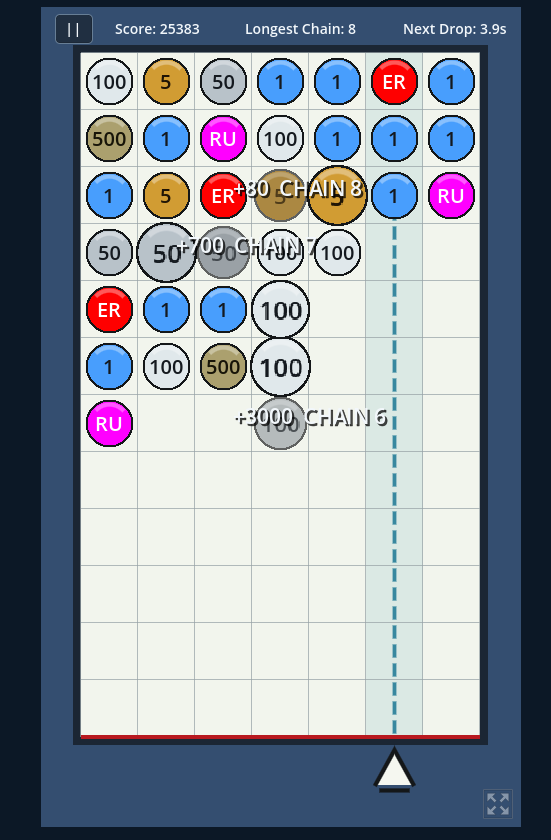
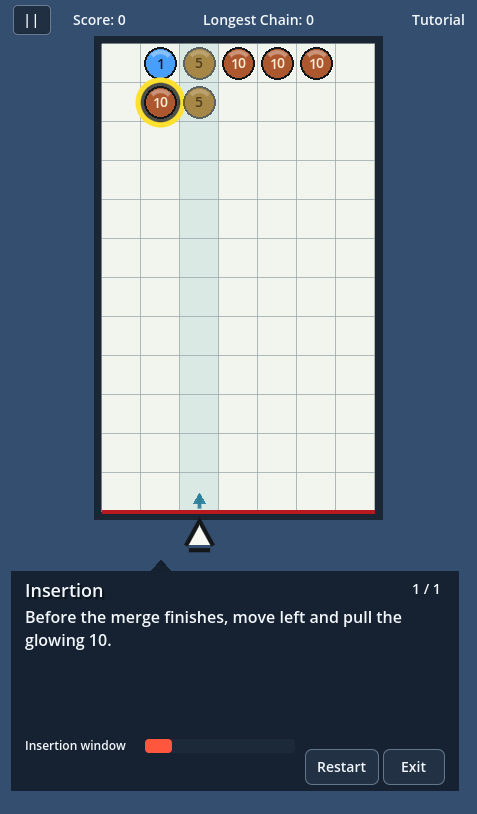
Teaching the Rules
The controls are simple, though the game rules required a bit of explaining. I wanted to create an interactive tutorial rather than just giving someone a wall of text to read.
There is a basic tutorial for those who prefer to learn as they play, and seven additional tutorial modules that further explain the game mechanics in small interactive demos.
Building out this tutorial system also allowed me to create fixed boards easily to test the game rules and fix bugs in general.
How the Board Works
I kept the board rules separate from the scenes and animation. The board tracks the grid, moves stacks, finds matches, handles bonus coins, and checks for the next chain.
When a match happens, I queue it instead of clearing it right away. That leaves time for the merge animation and gives the player a chance to slip in another coin.
The rest is split into smaller files for difficulty, starting boards, random coins, animation order, and game feedback.
Scoring is pretty straightforward:
points = coin value * number of coins * chain level
A first merge uses a multiplier of 1, the next link uses 2, and so on.
Desktop and Touch Controls
The desktop controls use the arrow keys or WASD. Left and right move between columns, down pulls coins, and up pushes them back onto the board.
Touch took way more work than dropping two or four buttons on the screen. Swiping anywhere is the default, but you can also use smaller swipe areas, tap controls, one-handed or split layouts, and visible joysticks. It switches between keyboard and touch on its own. I also had to ignore the fake mouse clicks Safari sends after a tap because apparently nothing can be simple with Safari :)
The game is kept in portrait because this is primarily meant to be played on a phone for quick bursts. On desktop the game stays centered instead of stretching the menu across the whole window but I apologize for putting portrait content on your landscape monitor.
Progression and Browser Saves
The game saves a high score for each difficulty, plus your controls, tutorial progress, achievements, and theme. Right now there are five achievements and nine themes. Some unlock from scores, and a few are hidden in the menus.
Godot normally saves through its web folder. I keep a second copy in browser storage and use whichever one is newer. I added that after running into bugs with iOS browsers randomly failing to keep saves.
What I Learned
I thought the puzzle logic would be most of the work. Nope. The tutorial, phone layout, touch controls, saves, difficulty, menus, and unlocks took just as much time. Getting a game working and getting it ready for other people are two very different jobs.
The game is playable from start to finish. I’m still working on the audio and fixing bugs as I find them. I might make more themes if I get a fun idea, but we’ll see :)